

◆ Simple and easy to use, featuring graphical drag-and-drop functionality—intuitive and convenient!
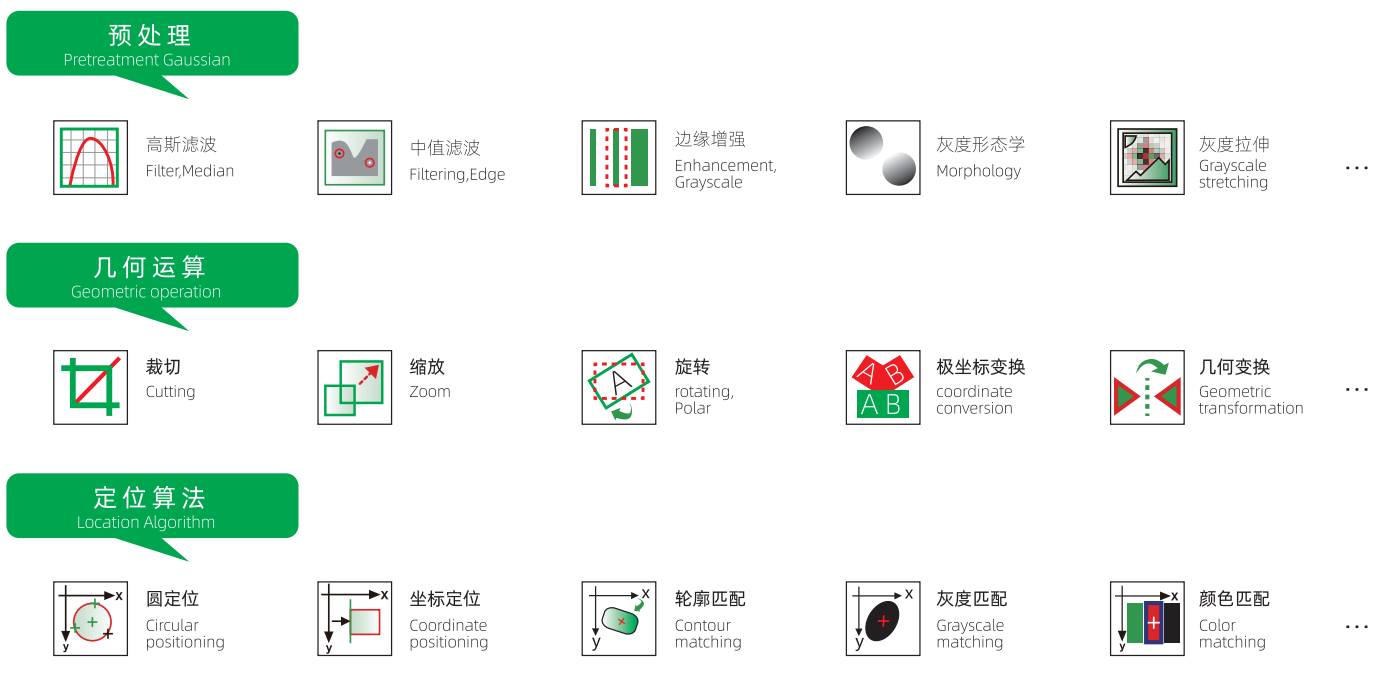
◆ Rich in functional modules, featuring 10 categories with over 100 functional modules;
◆ Algorithmic free configuration, highly customizable to meet project requirements;
◆ Freely editable interface, allowing you to create "any" visual product application interface;
◆ Supports various communication protocols, enabling quick integration and communication with third-party devices;
◆ Supports features such as loops, branches, and logical operations to meet the demands of complex projects;
◆ Supports custom scripts, allowing you to write simple algorithms;
◆ Supports quick switching and customization of multiple languages;
◆ Can be embedded in third-party applications;
◆Supports both standalone deployment and network deployment;
◆Configuration functionality supports industrial HMIs;
◆ Supports image FTP uploads;
◆ Supports user permission management.

MicroMatch Vision Universal Vision Software
Category:
- Product Description
-
- Commodity name: MicroMatch Vision Universal Vision Software
MicroMatch visual software is easy to use and requires no programming.
With just a simple drag-and-drop action, you can complete the setup of the runtime interface in a matter of moments, significantly reducing both the time required for visual project setup and associated labor costs.Complete project development in three stepsFinish days' worth of work in just over ten minutes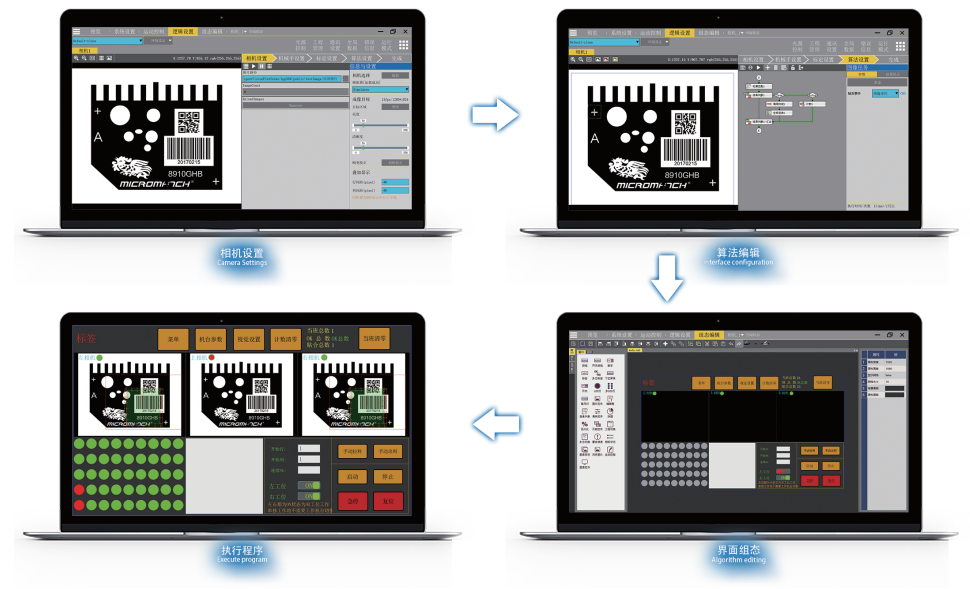
Software Features
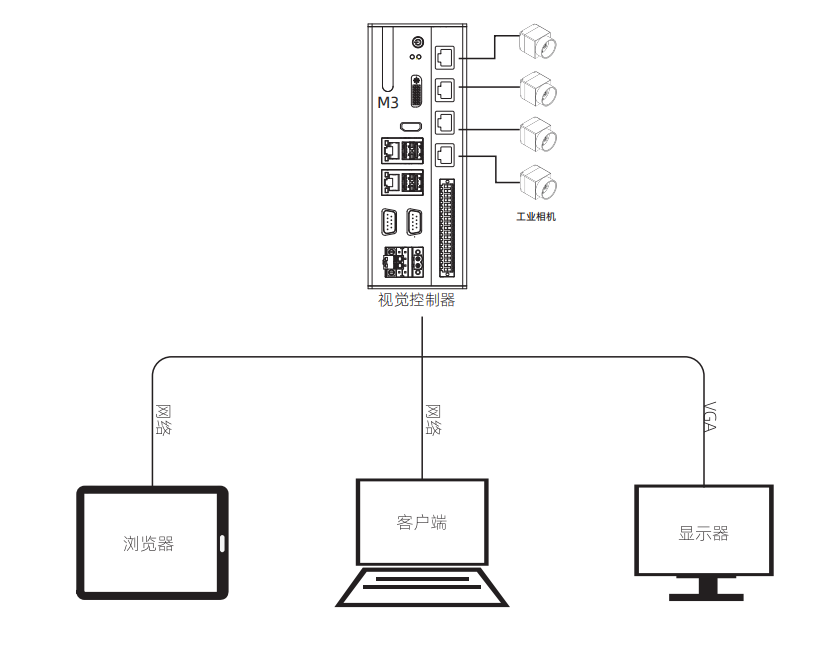
MicroMatch's universal vision software V4.0 adopts a hybrid architecture that combines the C/S (client/server) model with the B/S (browser/server) model, enabling users to access the camera either through client software or via a browser—beyond the standard local VGA display output. Both access methods deliver a unified UI design and seamless operational experience, allowing users to switch effortlessly between different platforms, including PCs, tablets, and mobile phones.
Featured Features
Camera Management
Provides multiple management features such as multi-camera engineering management, parameter settings, and real-time image preview.
Logical Configuration
Provides logical configuration editing and real-time debugging functionality for algorithms.
Interface Configuration
Provide a WYSIWYG (What You See Is What You Get) interface configuration, offering users personalized interface tools.
Release Preview
Perform a preview debug of the publishing process after configuration is complete.
Special module features
Ease of use: Comprehensively enhance software usability by adopting guided operations, thereby lowering the barrier to entry.
Interface Configuration: Features are comprehensively enhanced, allowing for quick customization of guided operation interfaces;
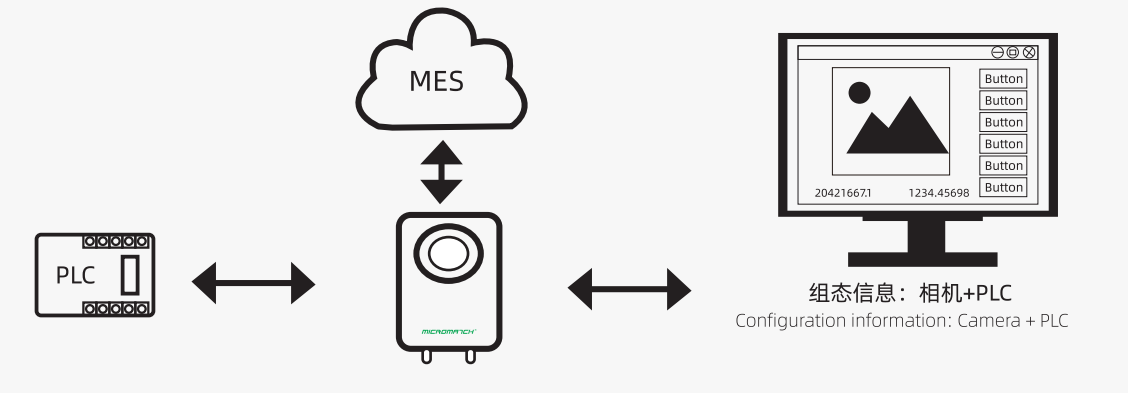
Communication Support: Added Modbus protocol functionality (Master/Slave modes for Modbus RTU and Modbus TCP) and MELSEC protocol polling capability (TCP mode), enabling communication with PLCs. The configuration interface allows displaying PLC data and modifying values in specified registers. Additionally, HTTP protocol support is included, facilitating data exchange with websites via REST API. This feature enables customization to integrate seamlessly with MES systems from various manufacturers, providing robust data support for customers' production process management.
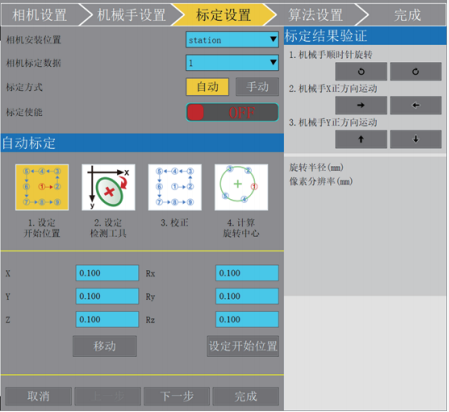
Comprehensively optimize touchscreen support: Various control parameter settings and ROI drawing are all designed with touchscreen operation in mind, enhancing the user experience on touchscreens.
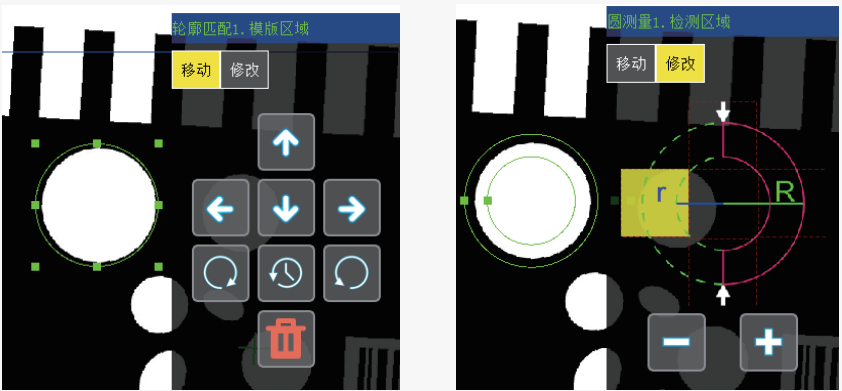
Page Configuration
Window-class control
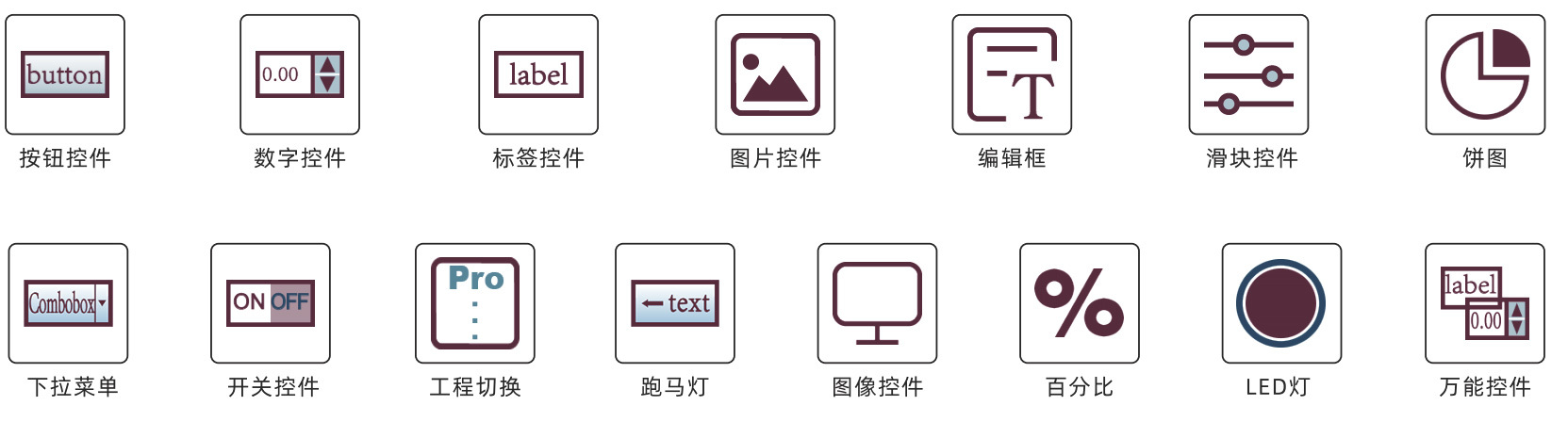
Algorithm Configuration
① Flowchart method: Intuitively displays the program execution path.
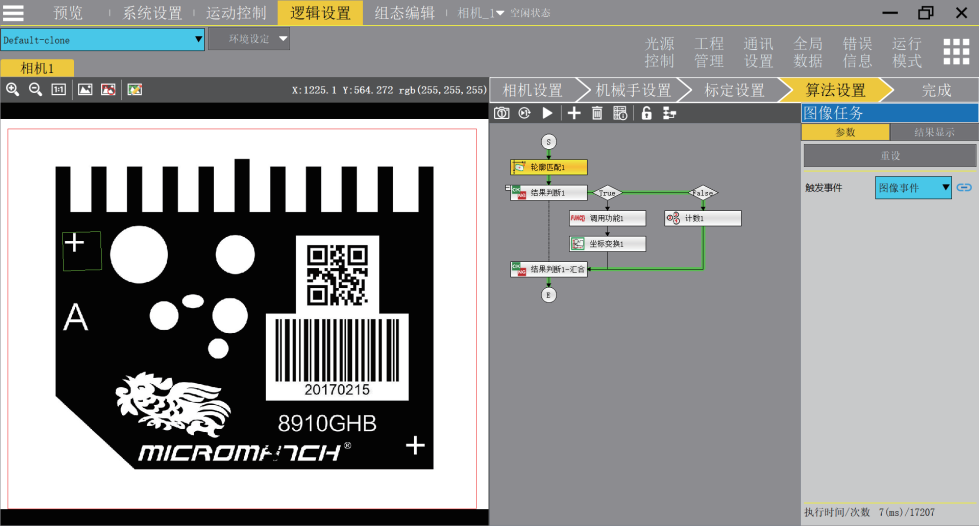
Flowchart Method
② Logical tree approach: This method allows for more intuitive debugging and editing of the detection process (with excellent support for touchscreens).
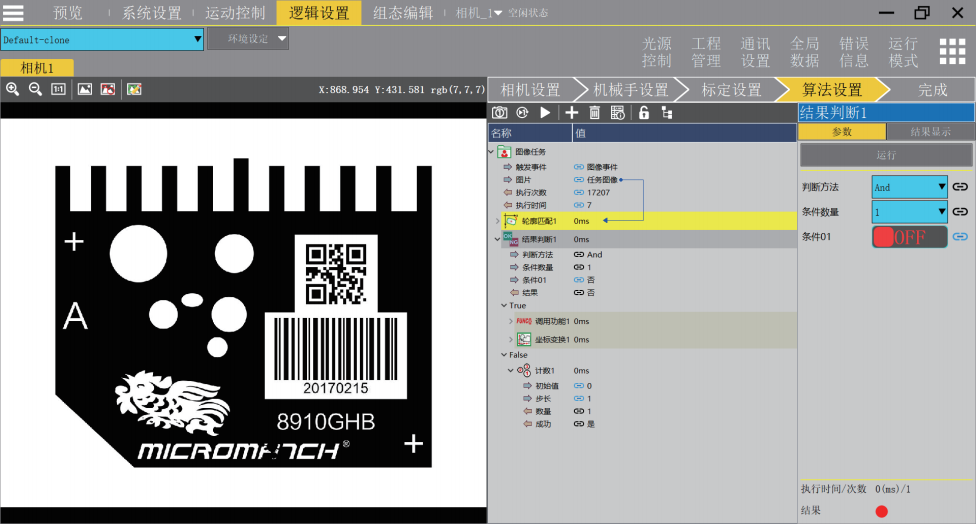
Logic Tree
Intelligent algorithms
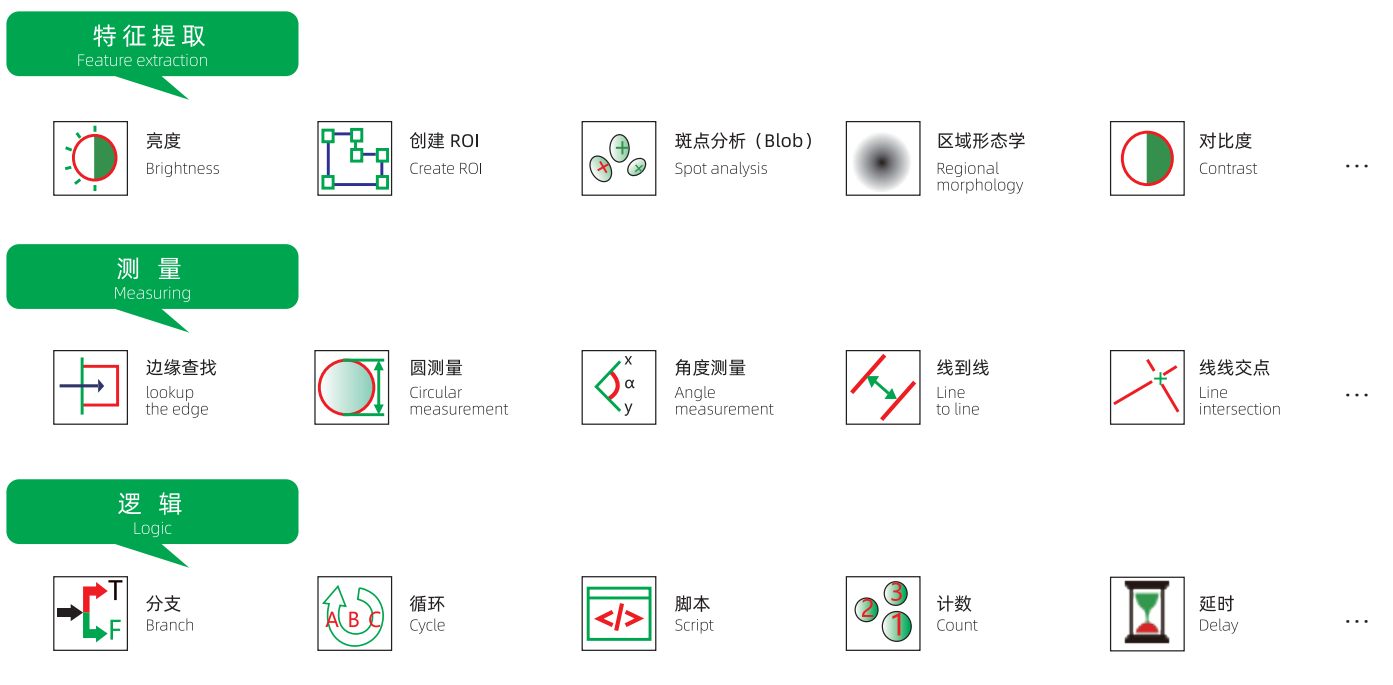
Equipped with numerous (over 10 categories and 100+) accurate, high-precision algorithms uniquely developed by McamVision, including various detection algorithms such as appearance inspection, geometric detection, and character recognition.

Defect
Currently, defect detection systems are widely used for inspecting metal surfaces, glass surfaces, paper surfaces, and the surfaces of electronic components, among others.
Label physical image
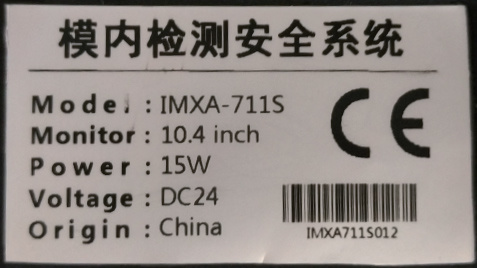
Camera image
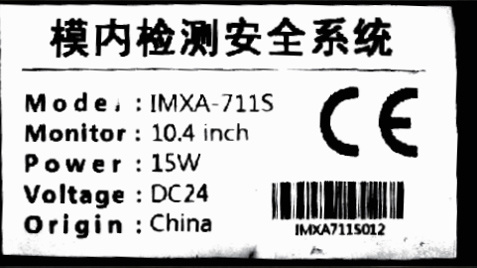
Algorithmic Image
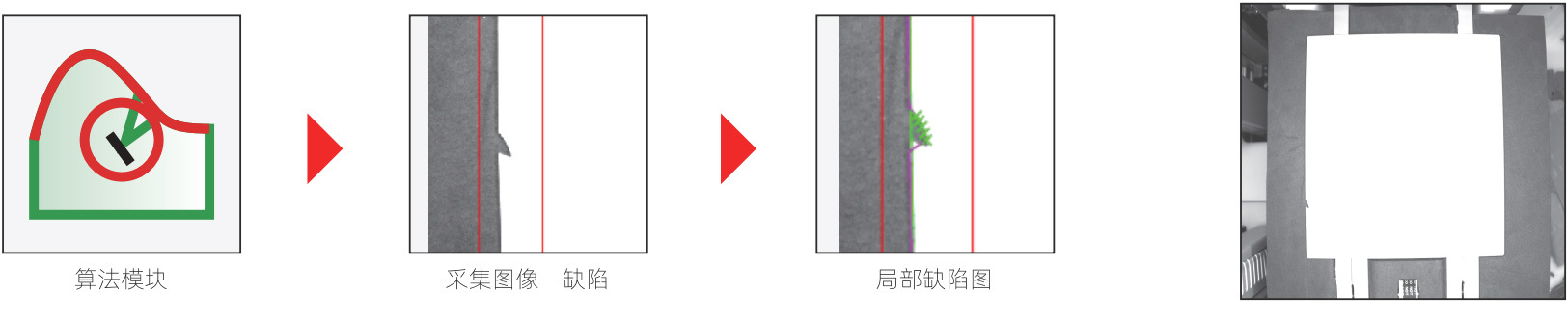
Original Image - Card
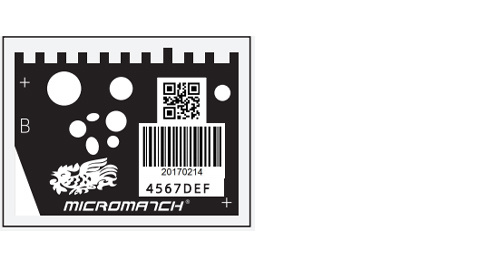
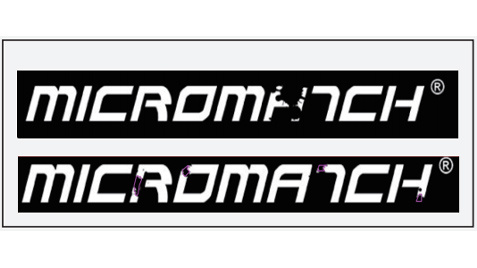
Image Acquisition - Defect
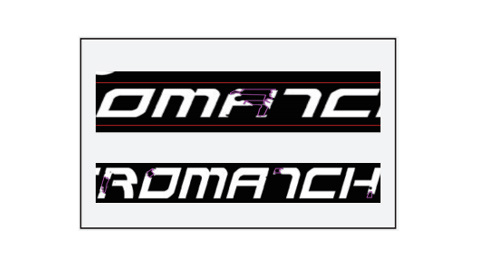
Localized Defect Map
Contour Defect
This tool identifies edge mutation areas as defects by extracting edge contours, and supports detection regions such as rectangles, circles, and ovals.
Relay housing physical diagram
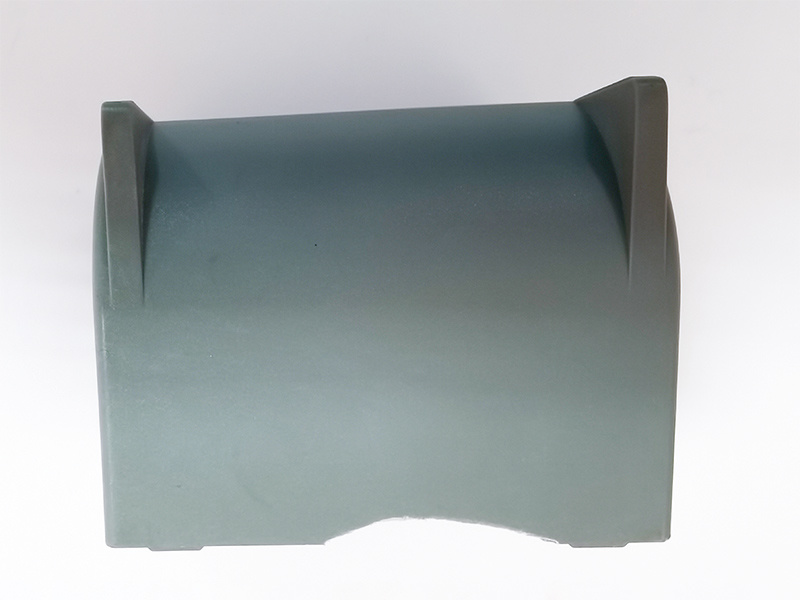
Camera image
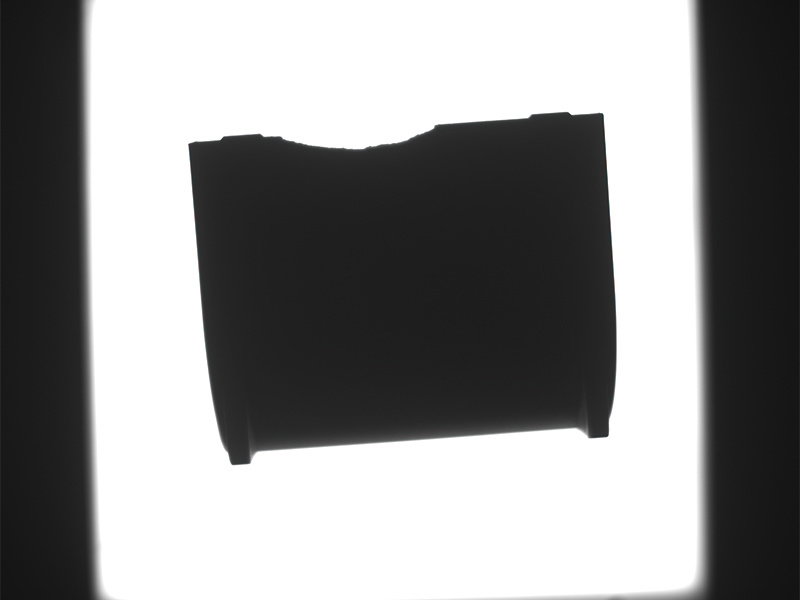
Algorithmic Image
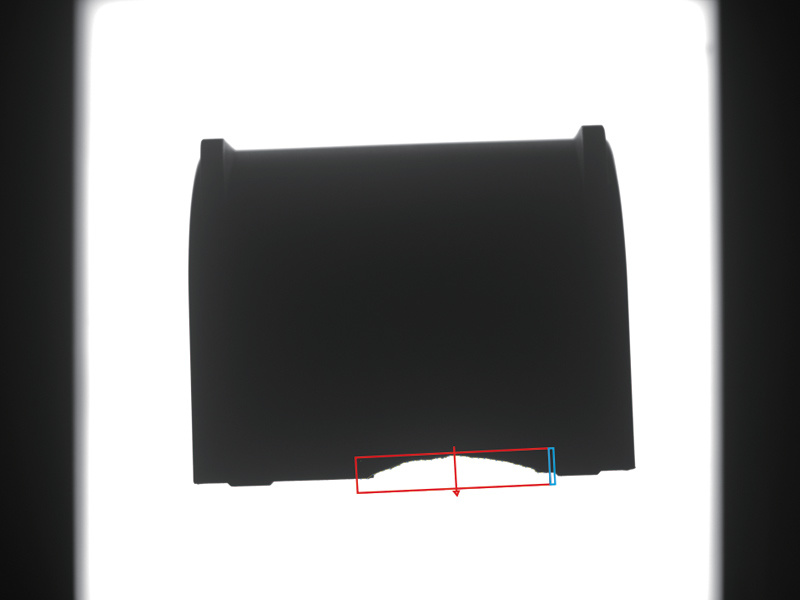
Solar panel edge breakage
Brightness uniformity, grayscale enhancement
This algorithm module manipulates the grayscale values within pixels, making it easier to enhance the dynamic range of grayscale values during image processing.
Light Board Inspection
Physical image of the light board
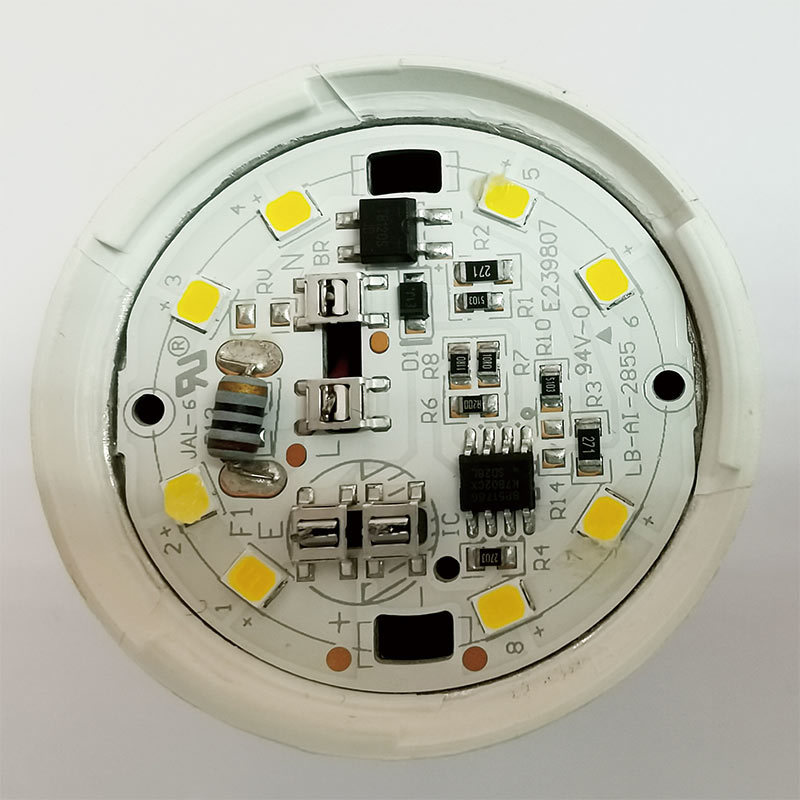
Camera image
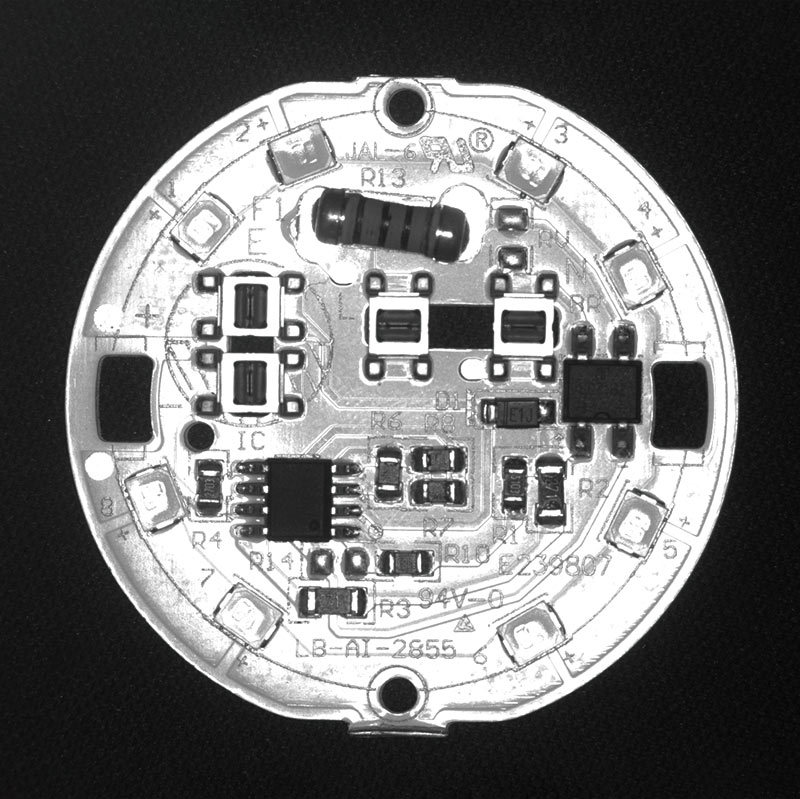
Algorithmic Image
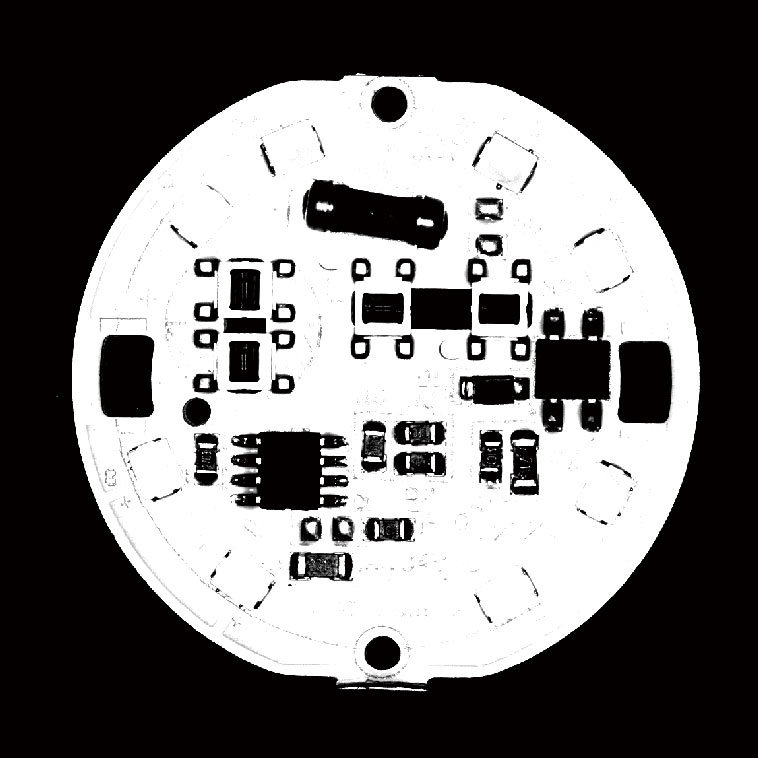
Feature Extraction
Through the feature extraction function, the detected objects can undergo blob analysis to obtain parameters such as count, area size, circularity, angle, radius, and convexity.
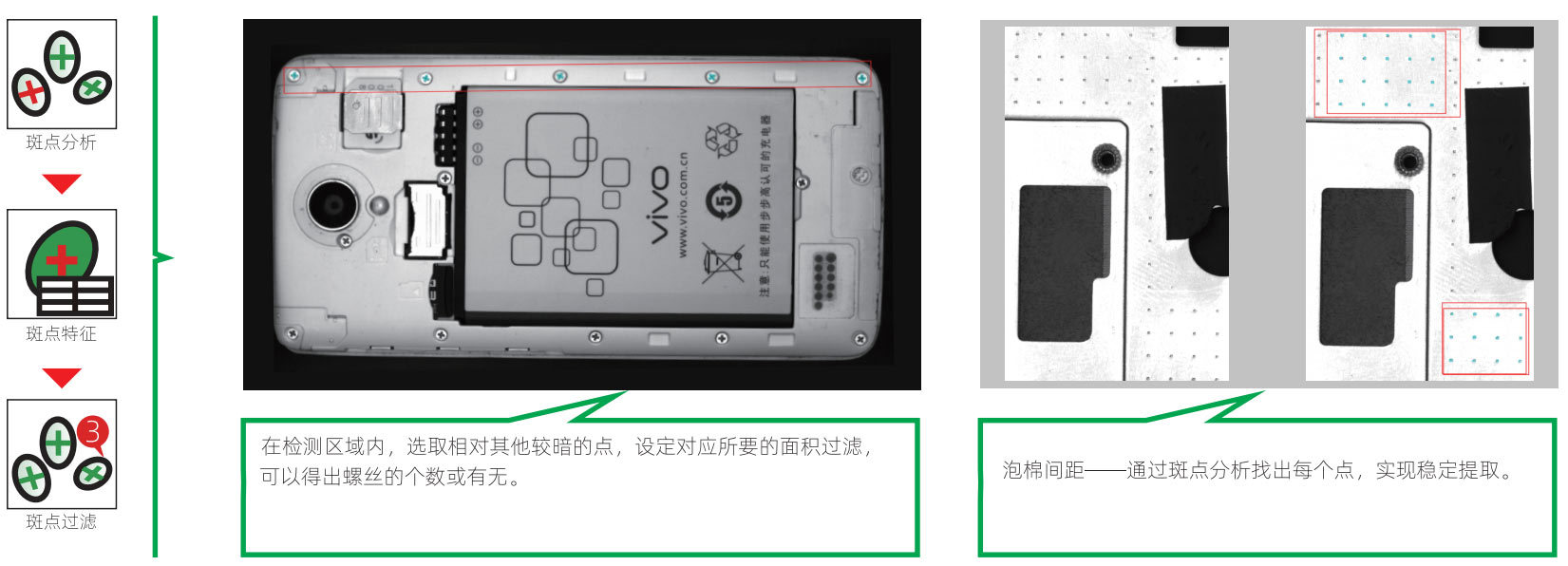
Light Board Inspection
Physical image of the LED beads
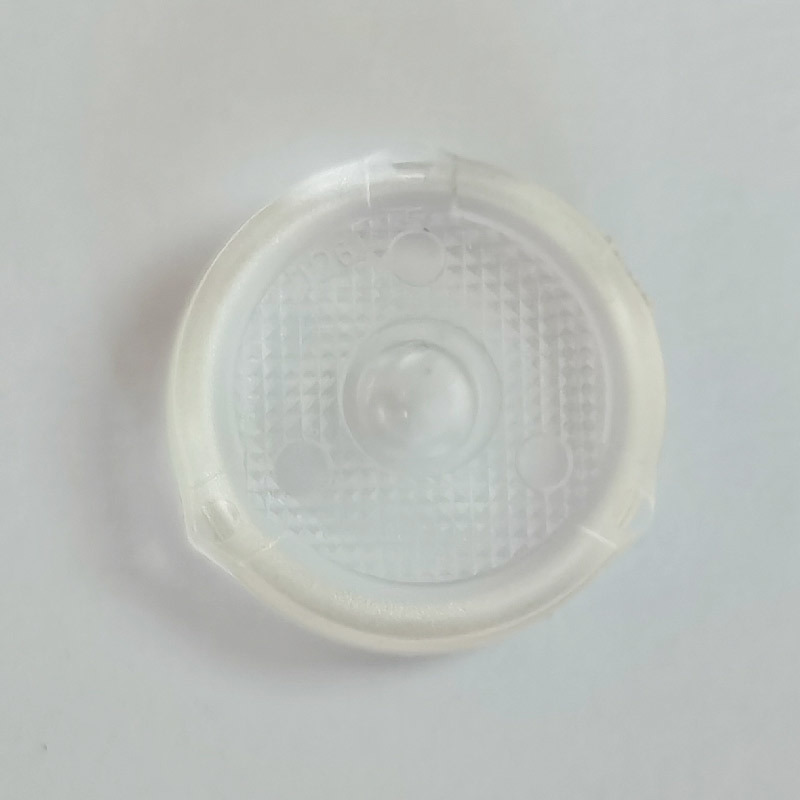
Camera image
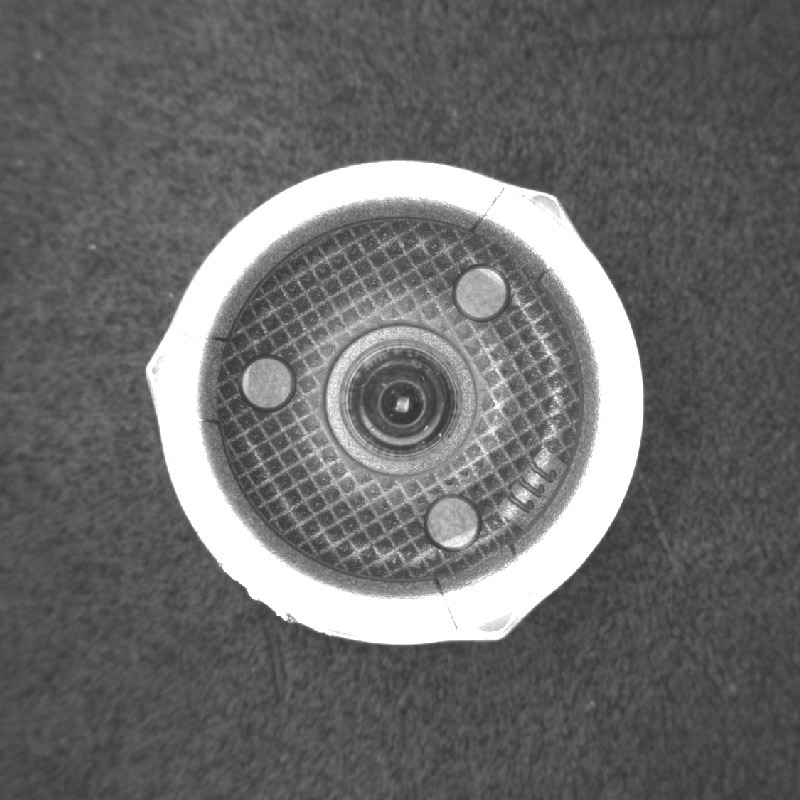
Algorithmic Image
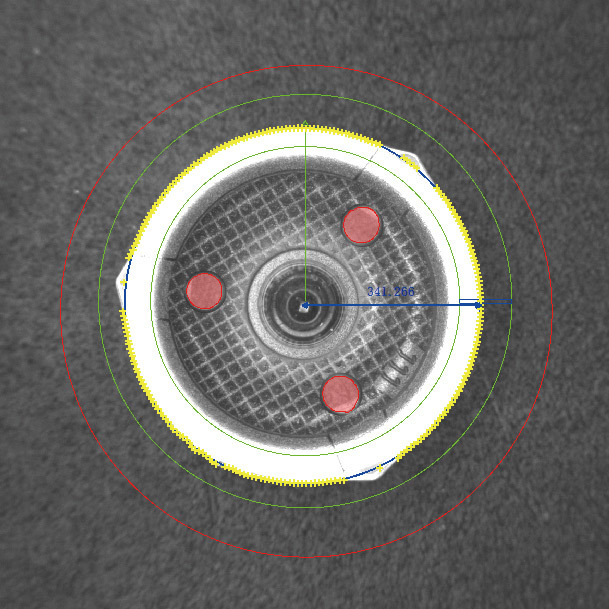
Geometric Transformation
It includes algorithms such as affine transformation, polar coordinate transformation, distortion correction, robotic arm control, image scaling, rotation, cropping, and more—enabling tasks like converting coordinate systems, controlling robotic arms, and correcting distorted images.
Distortion Correction
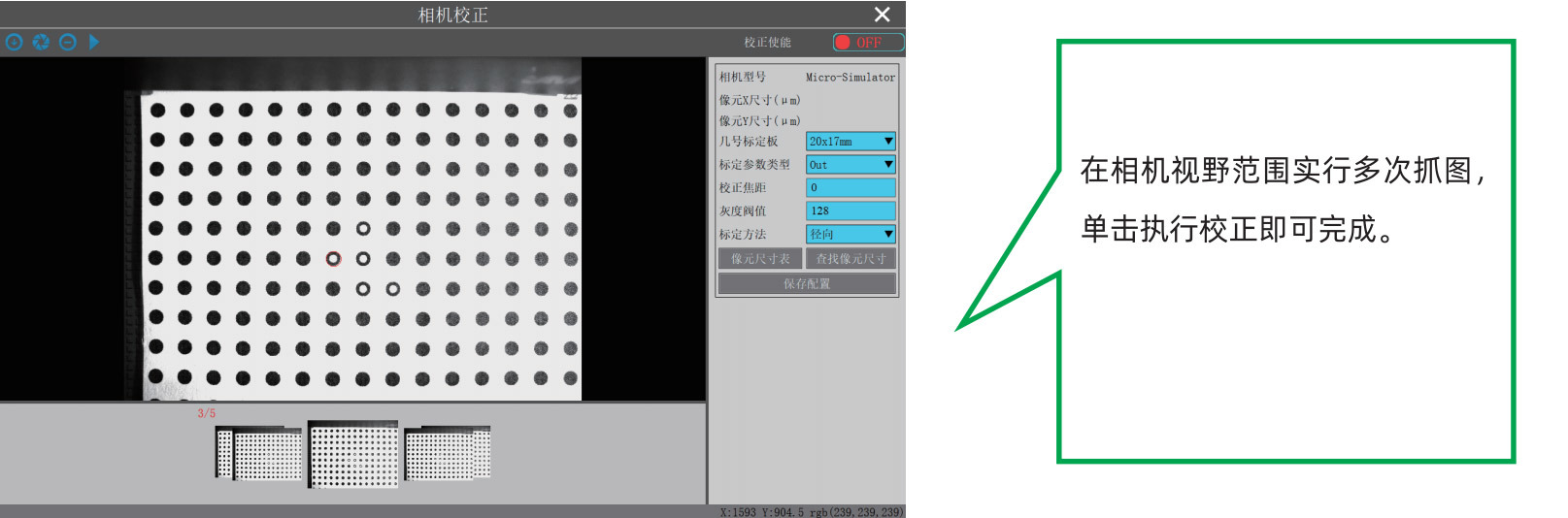
Grayscale Morphology
Grayscale morphology is the natural extension of binary morphology into grayscale space, primarily used for segmenting, connecting, or highlighting specific targets.
Capacitor physical diagram
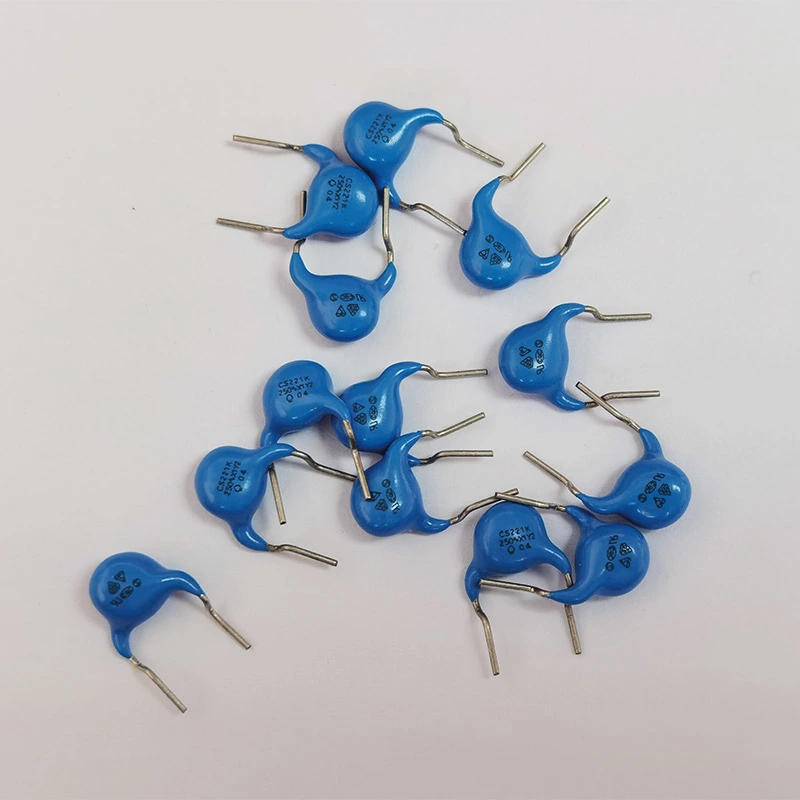
Camera image
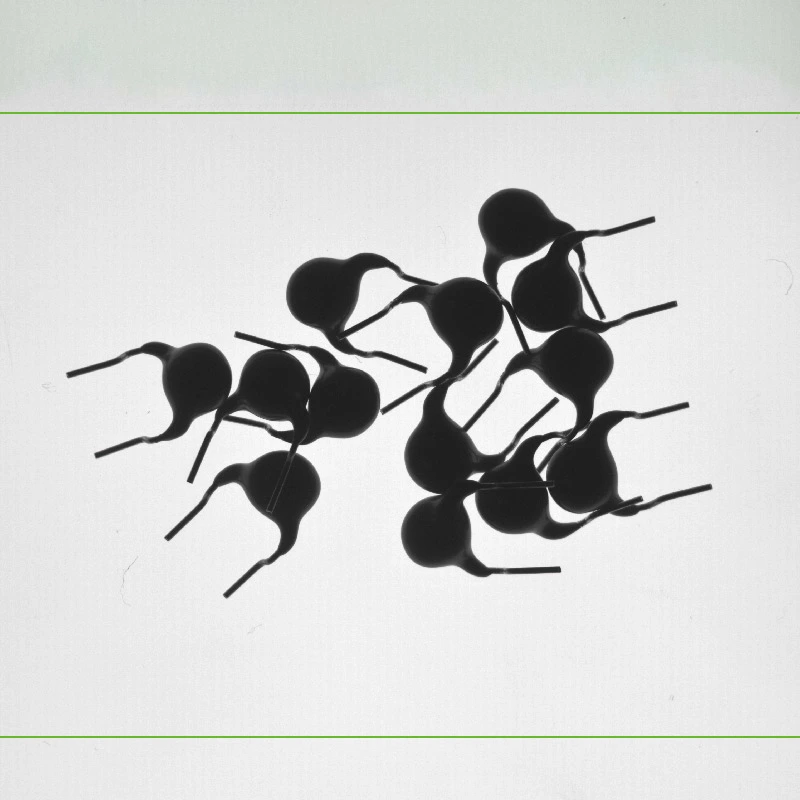
Algorithmic Image
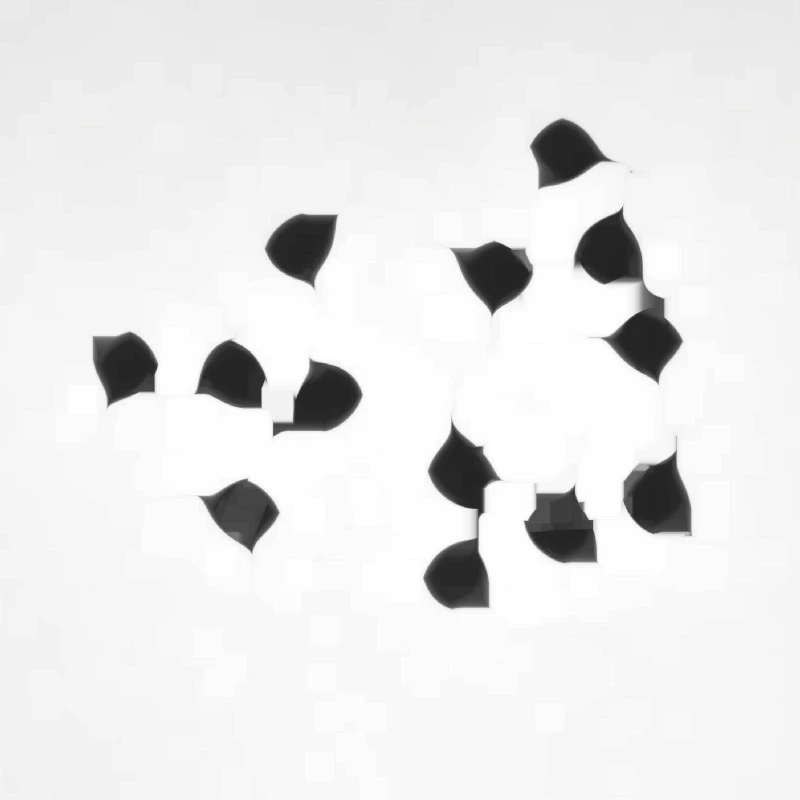
1. Since the products are packed very closely together and cannot be counted individually, the first step is to use the grayscale morphological erosion function to separate them.
2. Use blob analysis to extract the target and obtain the total number of products.
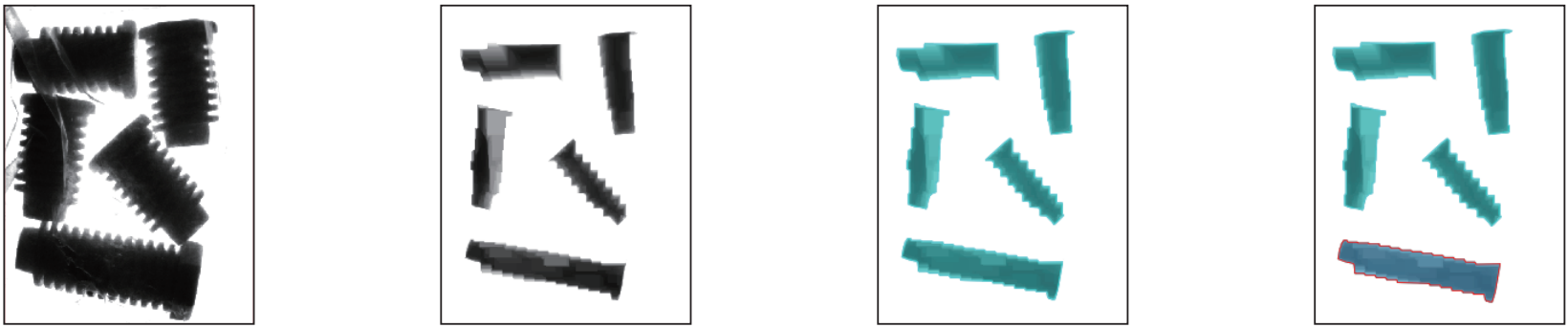
Use the spot filter function to extract the long screws.
Surveying
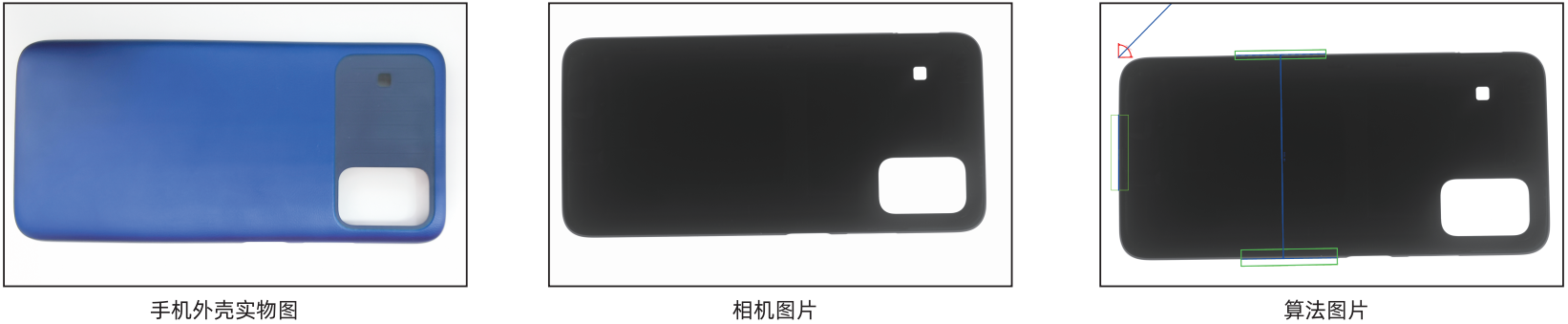
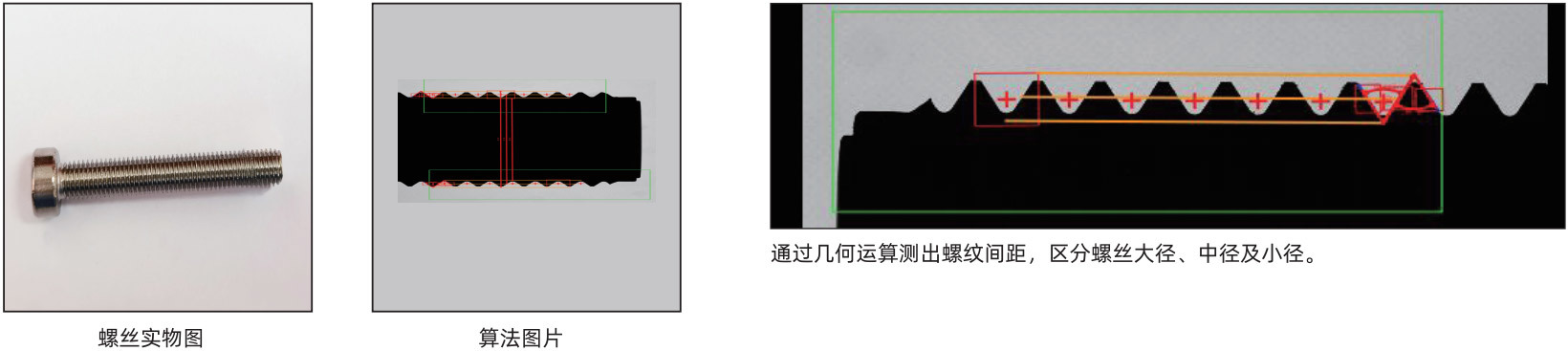
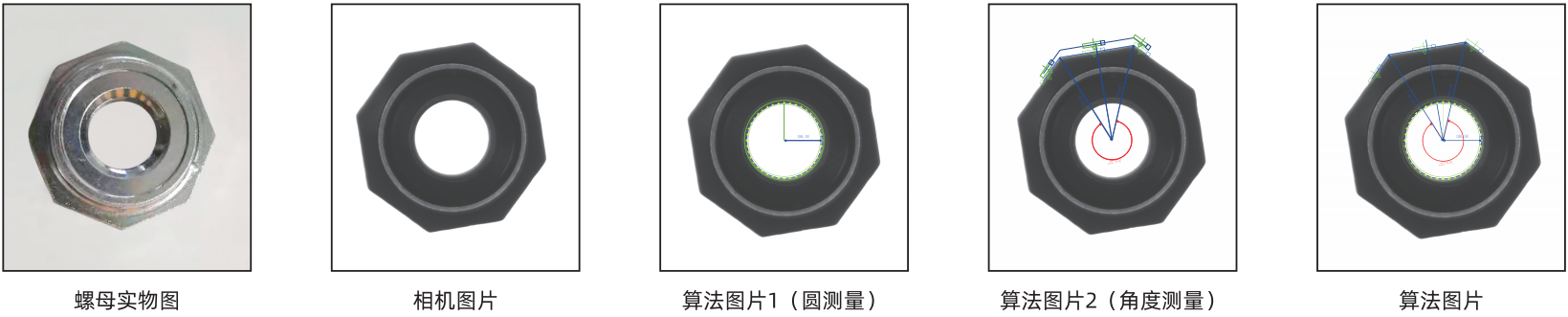
It features widely used measurement modules in the industry, such as angle measurement, point-to-point distance, and line-to-line distance. Among these, the measurement spacing module is fully capable of handling the demands of the connector industry with complete openness—users can first calculate the intersection points of each pair of lines to generate two points, thereby determining the desired geometric line.
Phone case
Thread Measurement
Circle measurement, angle measurement
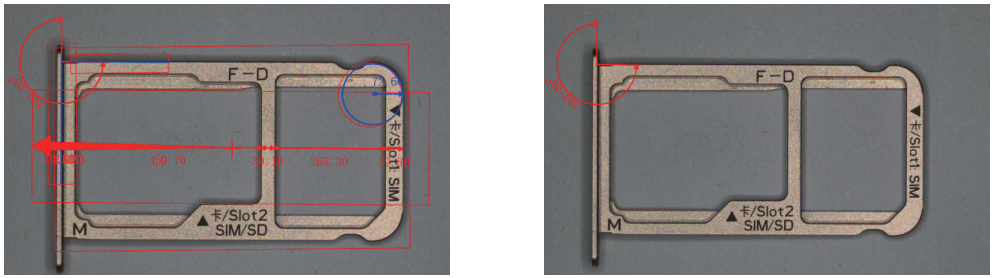
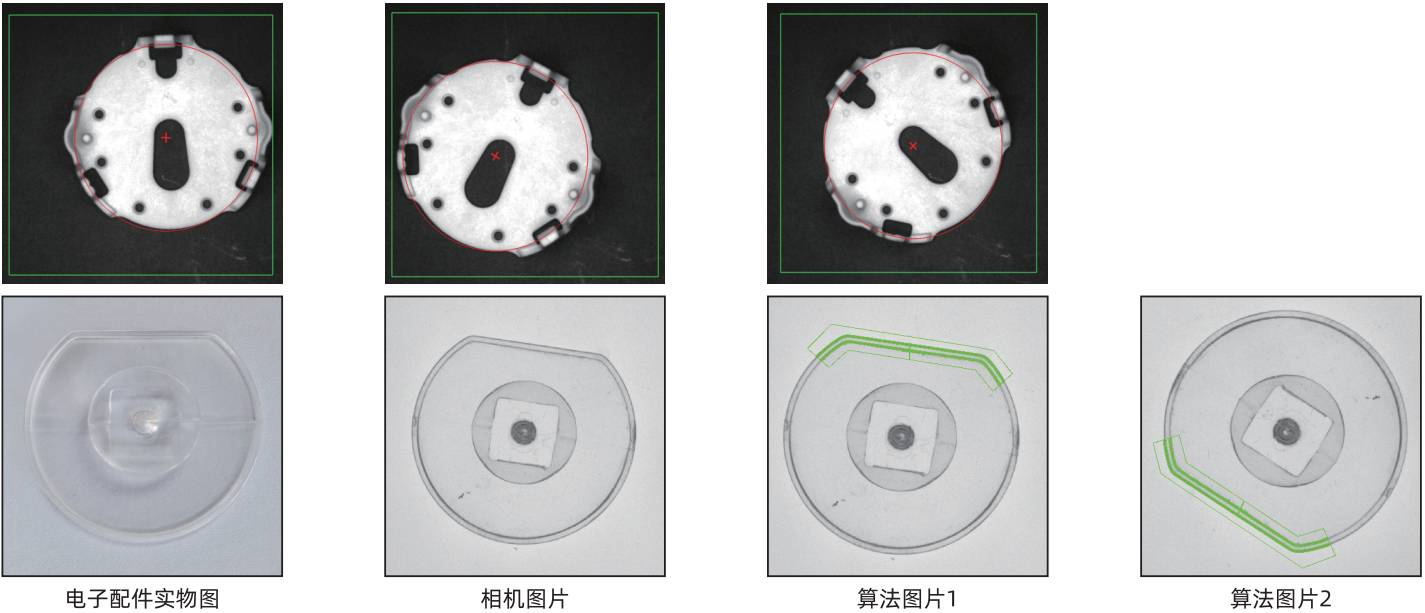
Positioning
Contour Matching
When the target location changes, contour matching can quickly locate the target’s position and orientation. Even under varying lighting conditions and partial occlusions, it can still accurately detect the target.
Read
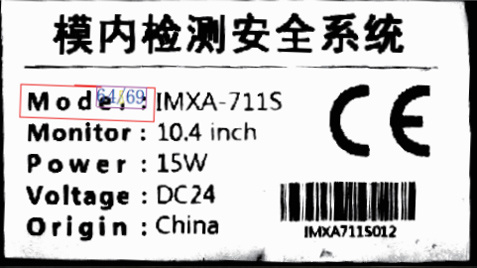
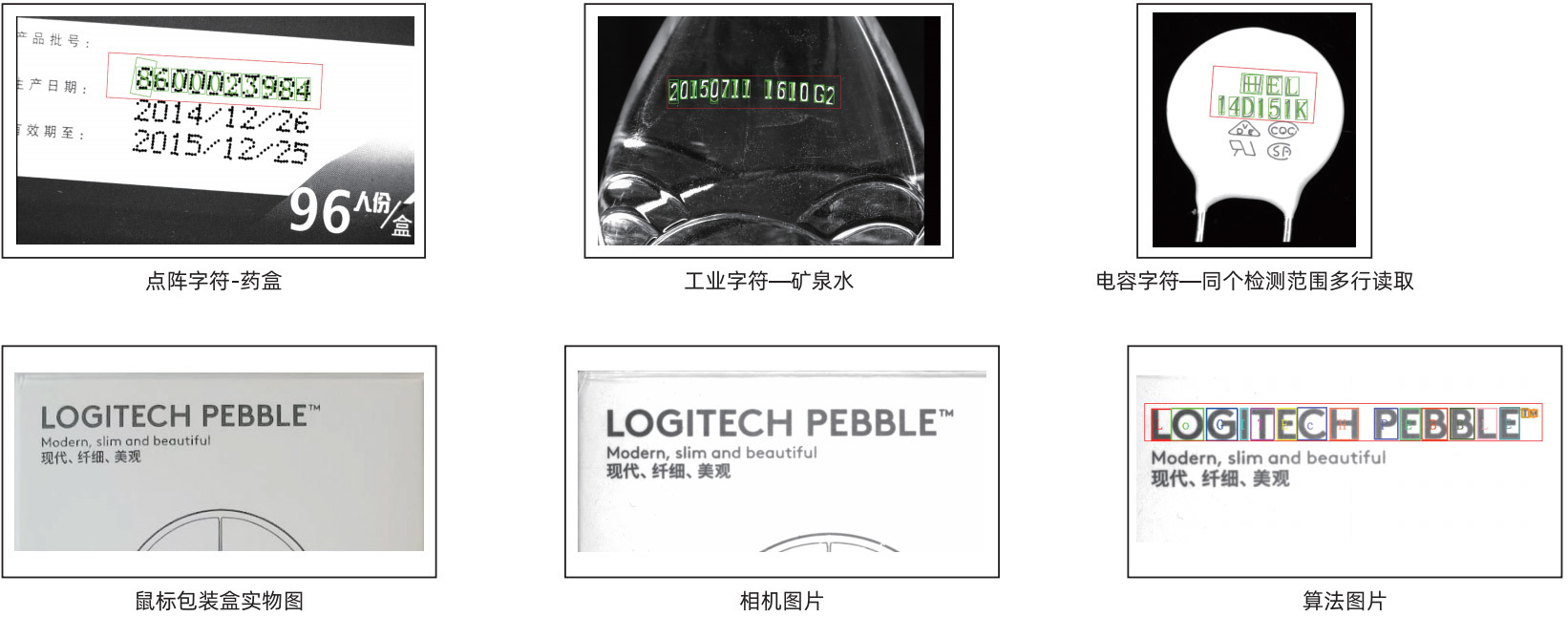
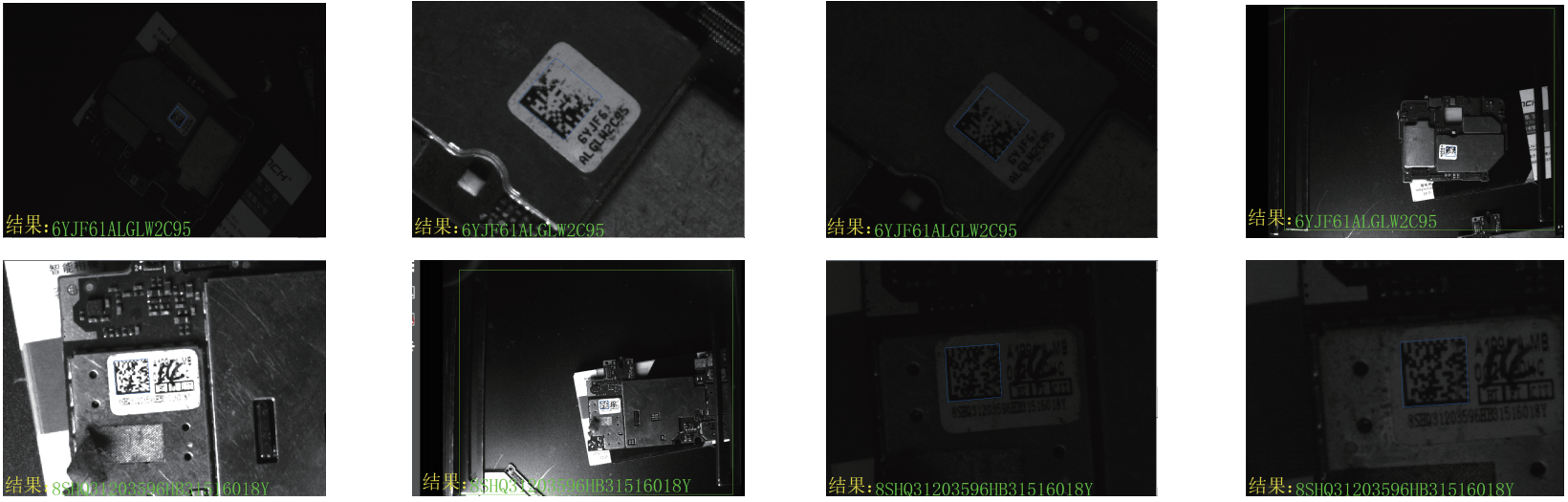
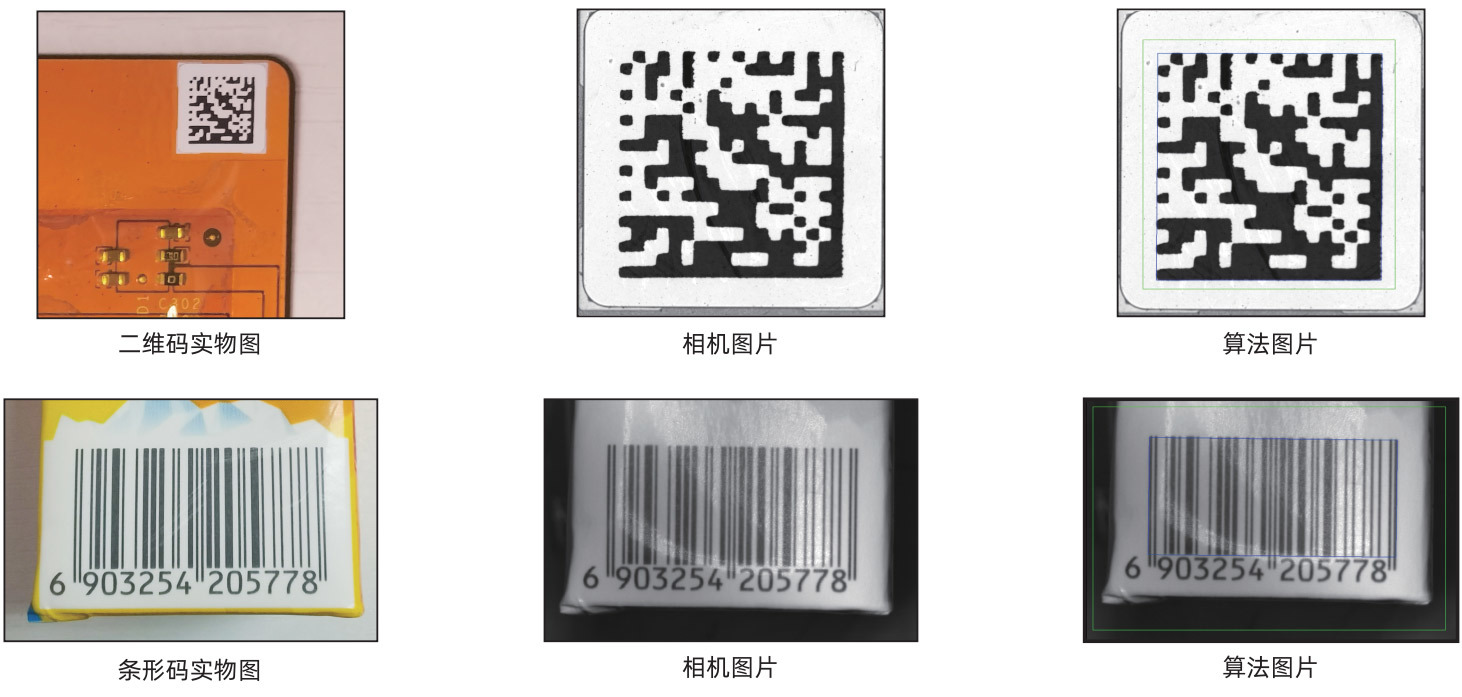
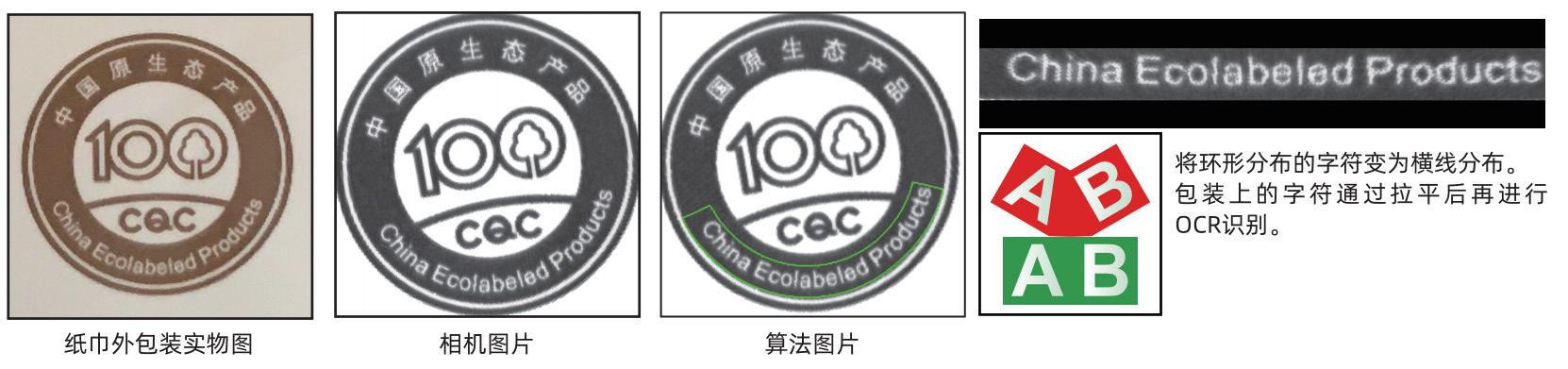
It features functions such as barcode, QR code, and OCR reading. In the printing industry, characters often suffer from issues like missing ink, streaking, and damage—but the MacmaVision character and barcode reading inspection system can effectively eliminate interference, ensuring accurate character recognition.
Character Reading
Read the code
Polar Coordinate Transformation
It includes algorithms such as affine transformation, polar coordinate transformation, distortion correction, robotic arm control, image scaling, rotation, cropping, and more—enabling tasks like converting coordinate systems, controlling robotic arms, and correcting distorted images.
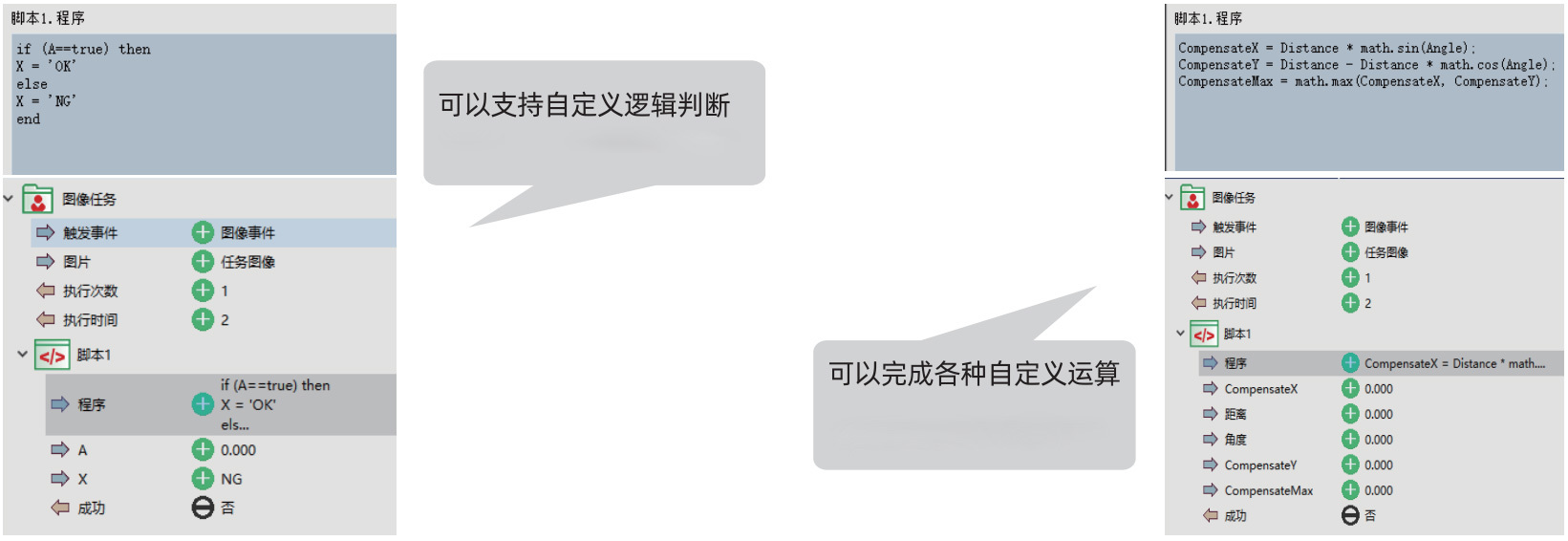
Logic
Featuring a custom scripting feature, it offers comprehensive application coverage for a wide range of algorithms across various industries. It enables the creation of repetitive loop detection, data parsing, string manipulation, and more.
Custom Algorithm
The custom calculation feature is widely used and plays a crucial role in handling complex projects.
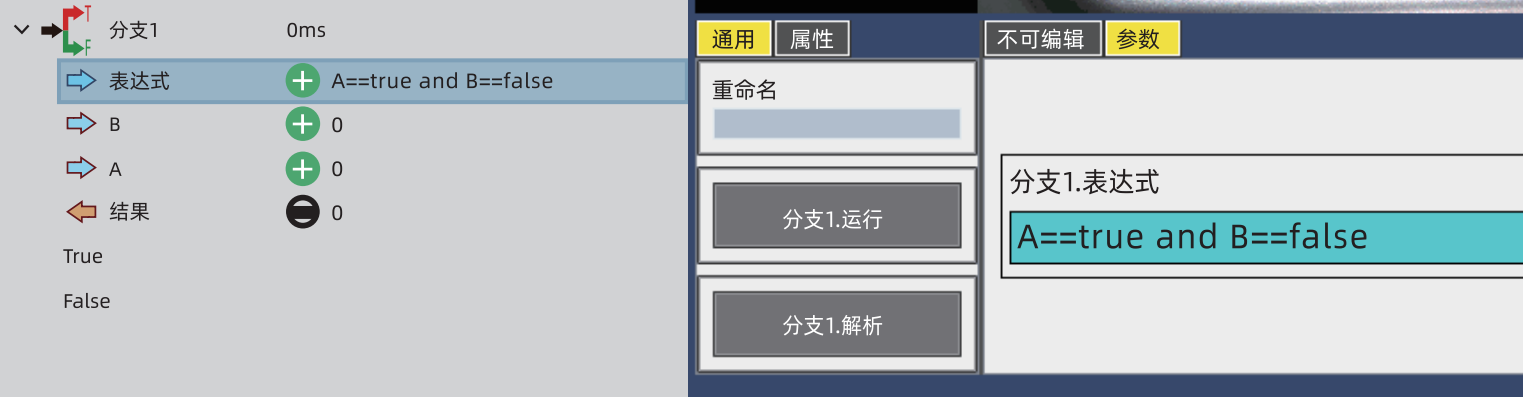
Conditional Branch
Just like with custom calculations, you manually enter a judgment condition, click the "Parse" button, and the system automatically identifies the unknown variables within the "condition." Then, you can easily define the relationships for the "new" variable—making it both convenient to use and powerfully functional.
Loop functionality, data parsing, string construction

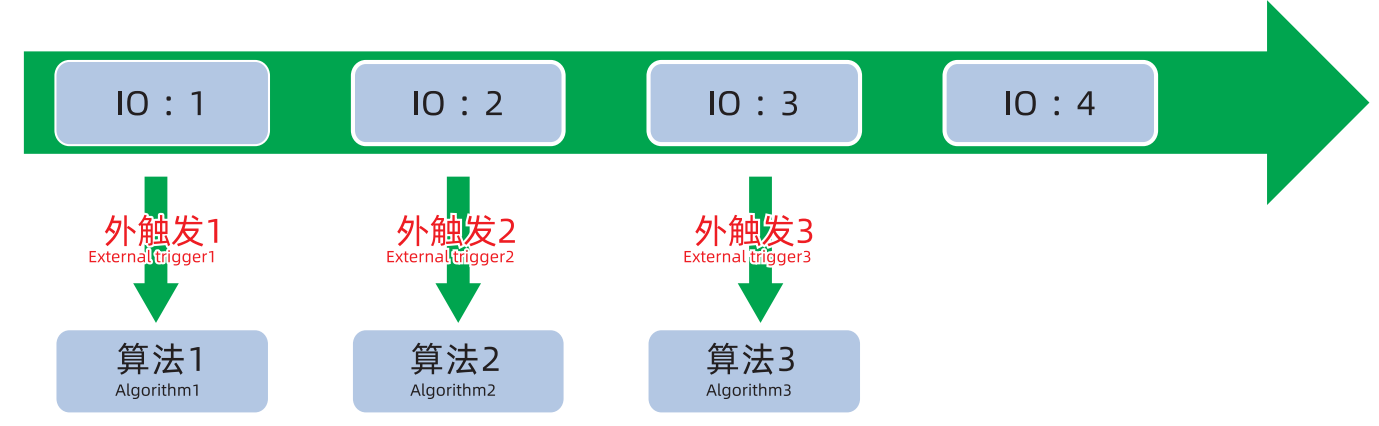
Multiple Logic Control
By coordinating the camera with external I/O, it’s possible to set up a single camera capable of handling multiple detection logics. The camera selects and executes different inspection tasks based on the status of the external I/O signals.
Multi-camera collaboration
Using the camera-to-camera message-sending and receiving feature, results from one camera are transmitted to another. After the host receives the information, it performs further processing and communicates with external devices.

Stay on high alert
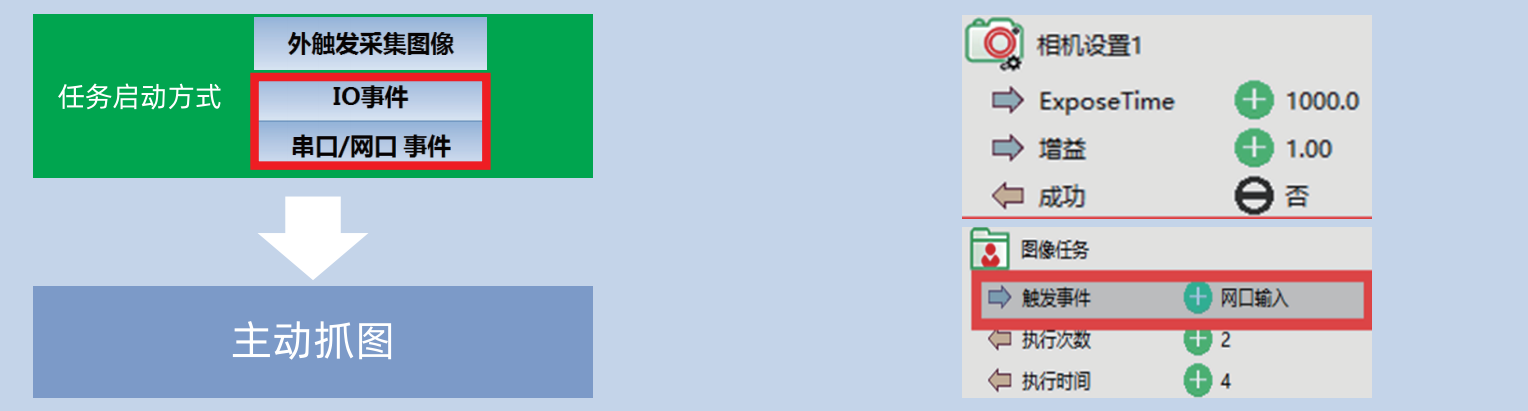
By configuring the module, the camera can capture multiple images with different exposure times and gain settings, triggered via network or serial port events.
Key words:
Related products
Intelligent Vision System Full-Stack Solution Provider
The company takes its self-developed and innovative embedded AI hardware platform as the cornerstone, deeply integrates industry-leading AI algorithms, and has formed a full-stack technology system in the field of industrial intelligent vision, ranging from hardware design, system optimization, and algorithm model deployment to industry applications.

WeChat Official Account
Line
Douyin Account
Address:4th Floor, West Building, Guangye Building, No. 7, Huojue Road, Huli District, Xiamen City, Fujian Province
Postcode:361006
Telephone:400 0059 906
Fax:0592-5029803
Line:+86 13859982398
Email:dc.zhong@micromat.cc
Online Consultation
Copyright © Xiamen Micromatch Electronic Information Technology Co. Ltd.